Free embroidery viewer
Open and view any embroidery file
See a DST, PES, JEF, EXP, VP3 or XXX file as stitches, right in your browser: size, stitch count, thread order and sewing time. No embroidery software needed.
Drop your embroidery file here
or
DST, PES, JEF, EXP, VP3, XXX or PEC · up to 10 MB
- Encrypted upload
- Free preview, no account needed
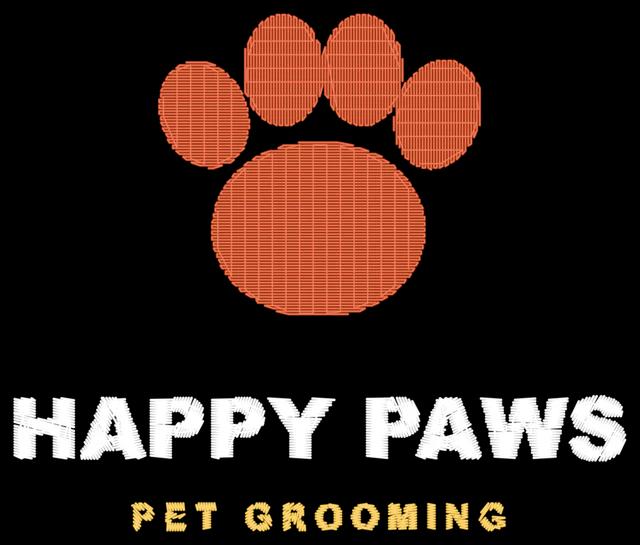
- Size
- 90 × 76 mm
- Stitches
- 3,076
- Colors
- 3
Step by step
How it works
Check a design before it goes on the machine.
Upload your file
Add a DST, PES, JEF, EXP, VP3, XXX or PEC file, up to 10 MB.
See every stitch
The design is drawn stitch by stitch on the fabric color of your choice, with all its details.
Convert or resize
Need another format or size? Do it on the same page, without uploading again.
File formats
Works with every major machine brand
Open any of these files and save your design in any of them, plus PEC files from Brother machines.
- DST
Tajima, Barudan, SWF, Ricoma, Happy and most commercial machines
The standard for commercial embroidery. Stores stitches and color stops, but not thread colors.
- PES
Brother, Baby Lock and Bernina Deco
Saved with the nearest Brother thread for each color.
- JEF
Janome, Elna and Kenmore
Saved with the nearest Janome thread for each color.
- EXP
Melco and Bernina
A simple stitch format that many machines and programs open.
- VP3
Husqvarna Viking and Pfaff
Keeps the exact color of every thread.
- XXX
Singer and Compucon
Keeps the exact color of every thread.
What you see
Everything in the file, at a glance
Know what a design will sew before you hoop the fabric.
Real stitch preview
Every stitch drawn as thread, on white, black, navy, gray or red fabric. Zoom in to check the details.
Exact size
Width and height in millimeters and inches, so you can pick the right hoop.
Stitches, trims and time
Stitch count, number of trims and an estimate of the sewing time, for quoting a job.
Thread order
Each color in sewing order with its stitch count, the file's own thread names and the nearest Brother thread.
Privacy
Your designs stay private
You're trusting us with your designs. Here's exactly what happens to them.
Encrypted upload
Your file is sent over a secure HTTPS connection and only used to show, convert or resize your design. Uploads and the files we create are deleted after 30 days.
No account to preview
Open your file and see every stitch without signing up or sharing any personal details.
FAQ
Quick answers
Is the embroidery viewer free?
Yes. Opening a file and seeing its stitch preview and details is free, with no account needed. Only converting or resizing a file uses a credit.
Which files can I open?
DST (Tajima), PES and PEC (Brother, Baby Lock), JEF (Janome), EXP (Melco, Bernina), VP3 (Husqvarna Viking, Pfaff) and XXX (Singer), up to 10 MB.
Why are the colors in my DST file different from the real design?
DST and EXP files don't store thread colors, only where the machine stops to change thread. The viewer uses distinct placeholder colors so you can tell the stops apart. PES, JEF, VP3 and XXX files store their colors, and the viewer shows them.
How is the sewing time worked out?
From the stitch count at 800 stitches per minute, a typical machine speed. Thread changes and hooping aren't included, so plan a little extra time.
What happens to my file?
Your file is uploaded over an encrypted connection and only used to show you the design. Uploads and previews are deleted after 30 days.
Read the Privacy PolicyCan I edit the design?
You can convert it to another machine format or resize it on this page. To change the artwork itself, start from an image with our Image to DST tool.
Still have a question?
Send us a message and our support team will help you with your embroidery file.
Contact support