Image Vectorizer
Turn PNG, JPG and WEBP images into clean SVG, EPS, PDF and DXF vectors. Fully automatic, ready in seconds.
No image on hand? Try one of these:
Zoom in. Vectors stay sharp.
Pixels become smooth, precise paths that scale to any size. Move over the image to inspect the details.
Specifications
- Input formats
- PNG, JPG, WEBP, PDF
- Output formats
- SVG, EPS, PDF, DXF
- Maximum file size
- 50 MB
- Processing
- Fully automatic, in seconds
- Built-in editing
- Change Colors, Edit Paths, Work With Outlines
Vector Editor
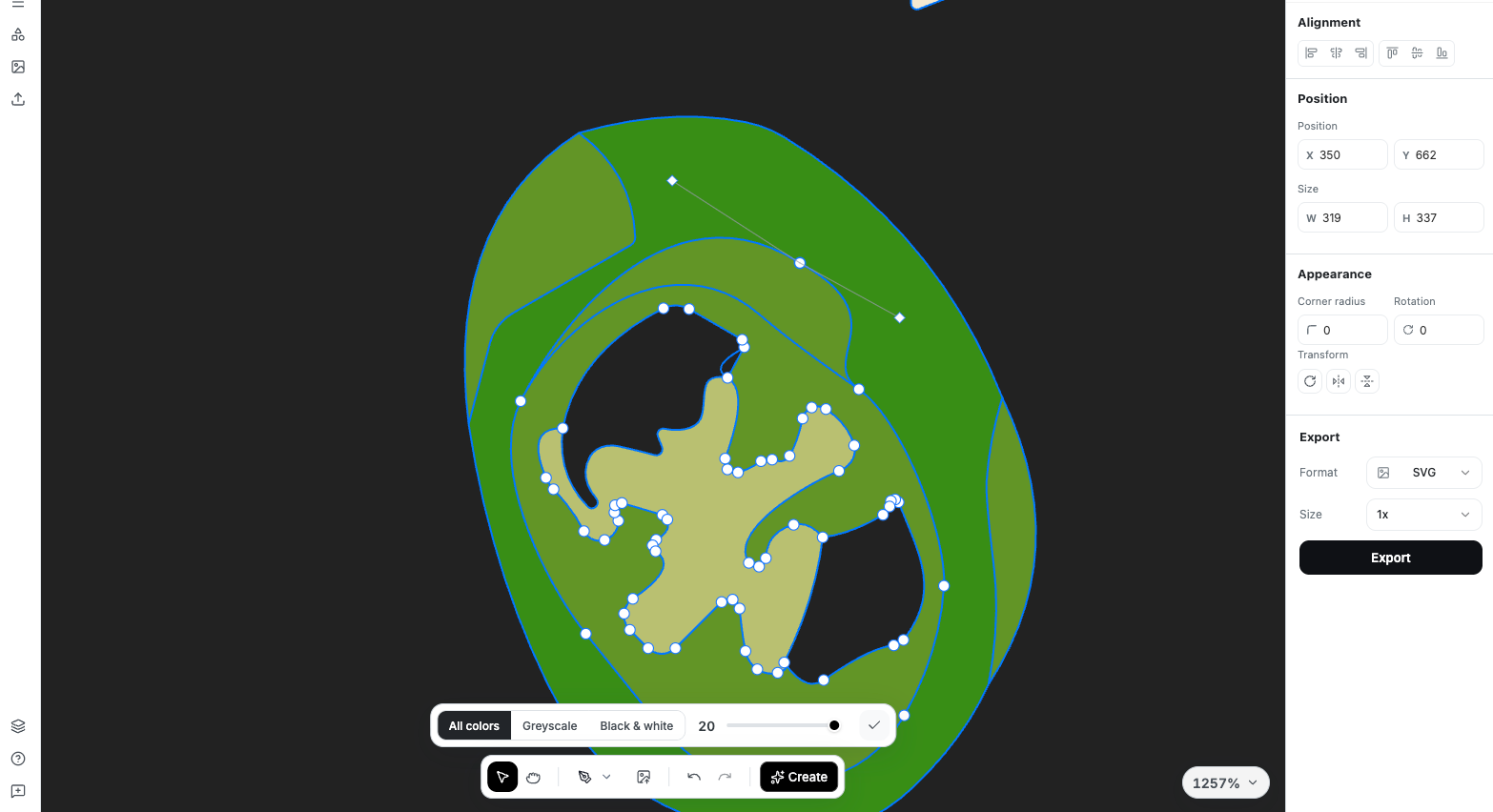
Now you can easily edit and customize your vector files with total freedom. Whether you're creating something completely new or making quick adjustments—tweaking shapes, changing colors, refining details—you can do it all in just a few clicks.
- Change Colors
- Whether your colors don't match your brand guidelines or you just want to experiment, simply select one or multiple shapes and apply the exact colors you need.
- Edit Paths
- Rotate, replace, or delete paths to reshape your graphics and give them an entirely new look. With complete control over every line and curve, you can reinvent your design in seconds.
- Work With Outlines
- Enhance your illustration with sharper, more defined outlines or experiment with multiple outline styles, applying them to specific paths, selected shapes, or the entire design.
Use Cases for Vectorization
Convert raster images to crisp vector graphics for any professional need.
Logos & Branding
Transform your logo into a scalable vector that looks perfect on everything from business cards to billboards.
Print & Signage
Prepare your artwork for professional printing with clean, scalable vectors that won't pixelate.
Engraving & CNC
Create machine-ready files for laser engraving, CNC cutting, and embroidery.
Web & Digital
Optimize your graphics for web with lightweight, infinitely scalable SVG files.
Frequently Asked Questions
What is the difference between raster and vector images?
Raster images (like PNG, JPEG) are made of pixels and lose quality when scaled up. Vector images use mathematical paths and can be scaled infinitely without losing quality, making them ideal for logos, print, and professional graphics.
What file formats can I convert to vector?
You can convert PNG, JPEG, WebP, and PDF files to vector formats. We support output in SVG, EPS, DXF, and PDF vector formats, compatible with all major design software.
Will my image look exactly the same after vectorization?
Vectorization works best with images that have clear shapes and solid colors, like logos and illustrations. Photos and complex gradients may be simplified during conversion. For best results, use high-contrast images with defined edges.
Can I edit the vector file after conversion?
Yes! Our built-in vector editor lets you modify colors, paths, and shapes directly in the browser. You can also export to SVG or EPS and edit in professional software like Adobe Illustrator or CorelDRAW.
What is the maximum file size I can upload?
You can upload images up to 50MB. For optimal vectorization results, we recommend using images with clear edges and good contrast. Higher resolution source images typically produce better vector output.
Vectorize your first image
Upload a PNG, JPG or WEBP and download an editable vector in seconds.
Built for